 Jean Cédric NTWARI
I have gone again through the Bootcamp and gone through some assignment. Daily planet editor and DJ JS an event listener practice. I had fun doing these exercises of course with Google’s help. The goal is to keep practicing and improving every day.
Daily Planet Editor:
// /*
// This code contains only syntax and code style problems. The logic of the code works,
// so DO NOT change the functionality of anything in here.

// In short, you shouldn't need to add your own statements anywhere,
// just fix the existing ones.
// */


// Written by Kent, Clark

var enemies=["Lex","Batman","Darkseid","Brainiac","General Zod","Doomsday"];

function whoWins(is_there_kryptonite,enemy_name)
{
if (!is-there-kryptonite)
{
    return "Superman beats " +enemy_name+ ", of course";
}

else{
    return "Depends on how quick Superman can get rid of the Kryptonite. "+ enemy_name +" could possibly win this one.";
}
    }

for (var i=0;i<enemies.length;i++)
{
    var is_there_kryptonite;
    if ((i%2) === 0) {
        is_there_kryptonite = true;
    } else {
        is_there_kryptonite = false;
    }
    console.log(whoWins(is_there_kryptonite,enemies[i]));
}

function howAttractedIsLoisLaneToMe ()
{
    // 1 is not at all attracted, 10 is "super" attracted...
    return Math.floor((Mat.random()*10)+1);
}

consol.log( HowAttractedIsLoisLaneToMe ()) ;

var clarkKent =true;
var superman = false;

while (clarkKent){
    console.log("I'm just a nerdy columnist");
    var phoneBoothQuickChange =Math.random();
    if (phoneBoothQuickChange>= 0.5) {
        clarkKent=false;
        superman=true;
        console.log("Now I'm Superman!");}}
DJ JS, html:
<!DOCTYPE html>
<html>
    <head>
        <title>DJ JS</title>
        <link rel="stylesheet" href="style.css">
    </head>
    <body id="bo">
        <div class="conainer">
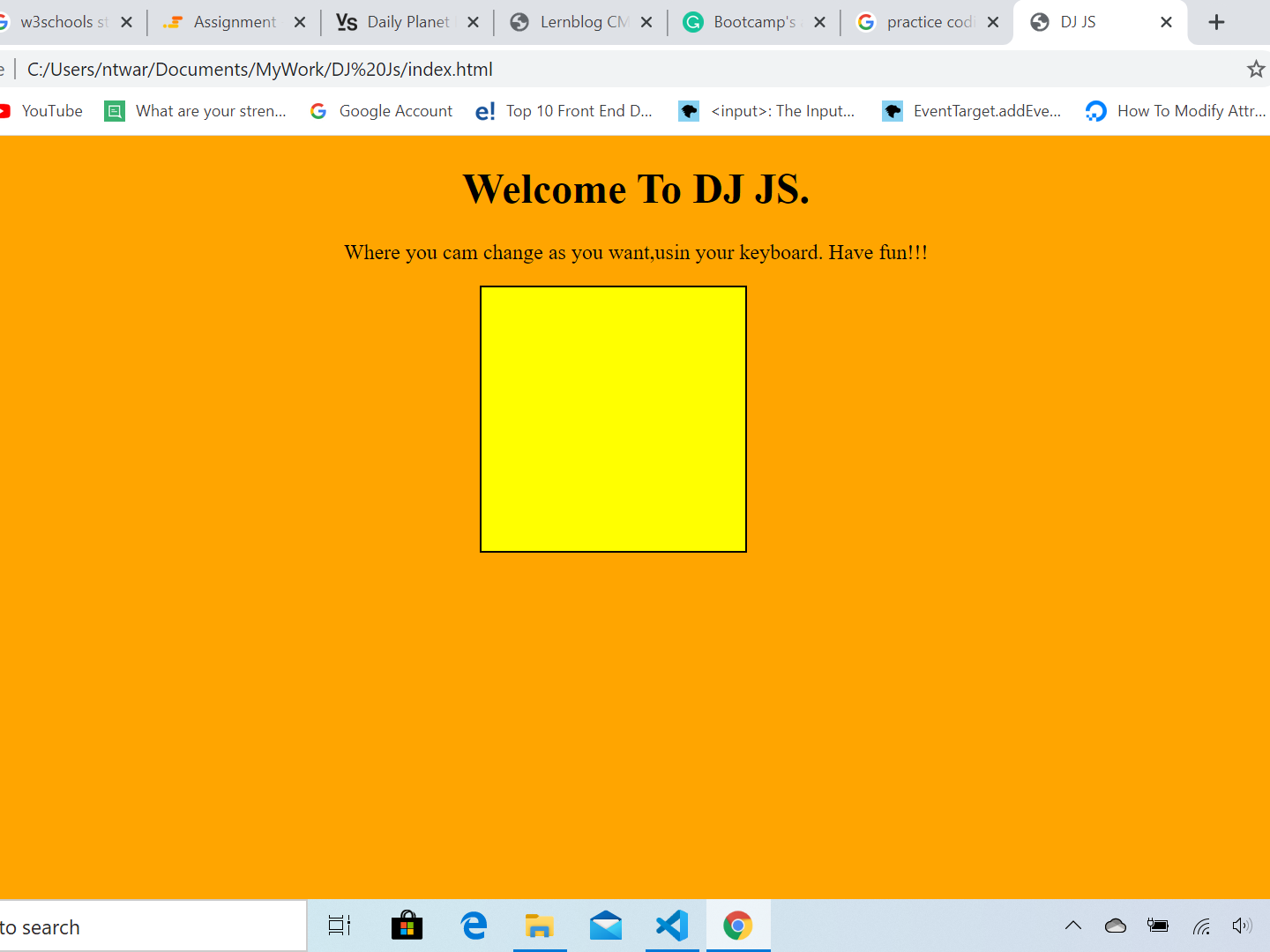
            <h1>Welcome To DJ JS.</h1>
            <p>Where you cam change as you want,usin your keyboard. Have fun!!!</p>
            <div id="square" ondblclick="doubleClick()" onmouseout="mouseOut()" onmouseover="mouseOver()" onclick= "onClick()"></div>
        </div>
        <script type="text/javascript" src="main.js"></script>
    </body>
</html>
CSS:
body{
    margin: 0;
    padding: 0;
}
h1,p{
    text-align: Center;
}
#square{
    position: relative;
    width: 200px;
    height: 200px;
    border: 1px solid black;
    margin: 10px;
    left: 40%;
    cursor: pointer;
}
JavaScript:
function onClick(){
    document.getElementById("square").style.backgroundColor = "red";
}
  function doubleClick(){
      document.getElementById("square").style.backgroundColor = "green";
  }
  function scroll(){
      this.style.backgroundColor = "orange";
}
function mouseOut(){
    document.getElementById("square").style.backgroundColor = "yellow";
}
function mouseOver(){
    document.getElementById("square").style.backgroundColor = "blue";
}

document.getElementById("square").addEventListener("wheel", scroll);
document.getElementById("bo").addEventListener("wheel", scroll);

document.addEventListener("keyup",function(event){
    if(event.keyCode == 82){
        document.getElementById("square").style.backgroundColor = "red";
    }else if(event.keyCode == 66){
        document.getElementById("square").style.backgroundColor = "blue";
    }else if(event.keyCode == 89){
        document.getElementById("square").style.backgroundColor = "yellow";
    }else if(event.keyCode == 71){
        document.getElementById("square").style.backgroundColor = "green";
    }else if(event.keyCode == 79){
        document.getElementById("square").style.backgroundColor = "orange";
    }
});
Browser:
It is important to keep up with English and typing lessons. I hope very soon, I will add another certificate on my record.