 Jean Cédric NTWARI
Since , i am almost at end of Bootcamp on scrimba, i decided to start practicing on how to build a to-do list application.
And of course at the beginning, it was a challenge, but i managed to start, by designing the App with HTML and CSS. Also adding the icons. I found out that most the time, i have to search new ways through Google especially for CSS. To start a small project such as this one, it is the best the way to practice.
As you can see below:
HTML file:
<!DOCTYPE html>
<html>
<head>
    <title>To do list app</title>
    <link rel="stylesheet" href="stle.css">
    <script src="https://kit.fontawesome.com/05805e8fb1.js"
                 crossorigin="anonymous"></script>
</head>
<body>
    <div class="container">
        <div class="header">
         <span id="span-header" style="font-size: 30px;"><i class="fas fa-sync-alt"></i></span>
         <div id="date"></div>
        </div>
        <div class="content">
            <ul id="list">
              <li class="item">
                <i class="far fa-circle"></i>
                  <p class="text">Drink coffee</p>
                  <i class="fas fa-trash-alt"></i>
              </li>
            </ul>
            <div class="add-item">
            </div>
        </div>
    </div>
</body>
</html>
CSS file:
body{
    margin: 0;
    padding: 0;
}
.container{
     width: 380px;
     height: 500px;
     border: 1px solid black;
     margin: 0 auto; padding: 5px;
}
.header{
    width: 380px;
    height: 150px;
    background-image: url("image.png") ;
    position: relative;
    border-radius: 15px 15px 0 0;
}
span{
    width: 30px;
    height: 30px;
    position: absolute;
    right: 15px;
    top: 15px;
}
#span-header i:hover{
    cursor: pointer;
    transform: rotate(45deg);
    text-shadow:1px 3px 5px yellow;
}
#span-header i:active{
    text-shadow:1px 3px 5px red;
}
#date{
    position: absolute;
    bottom: 10px;
    left: 10px;
}
.content{
    width: 380px;
    height: 300px;
    overflow: auto;
    border-bottom: 1px solid black;
}
.content ul{
    padding: 0;
    margin: 0;
}
.item{
    width: 380px;
    height: 40px;
    padding: 0;
    margin: 0;
    position: relative;
}
Browser:
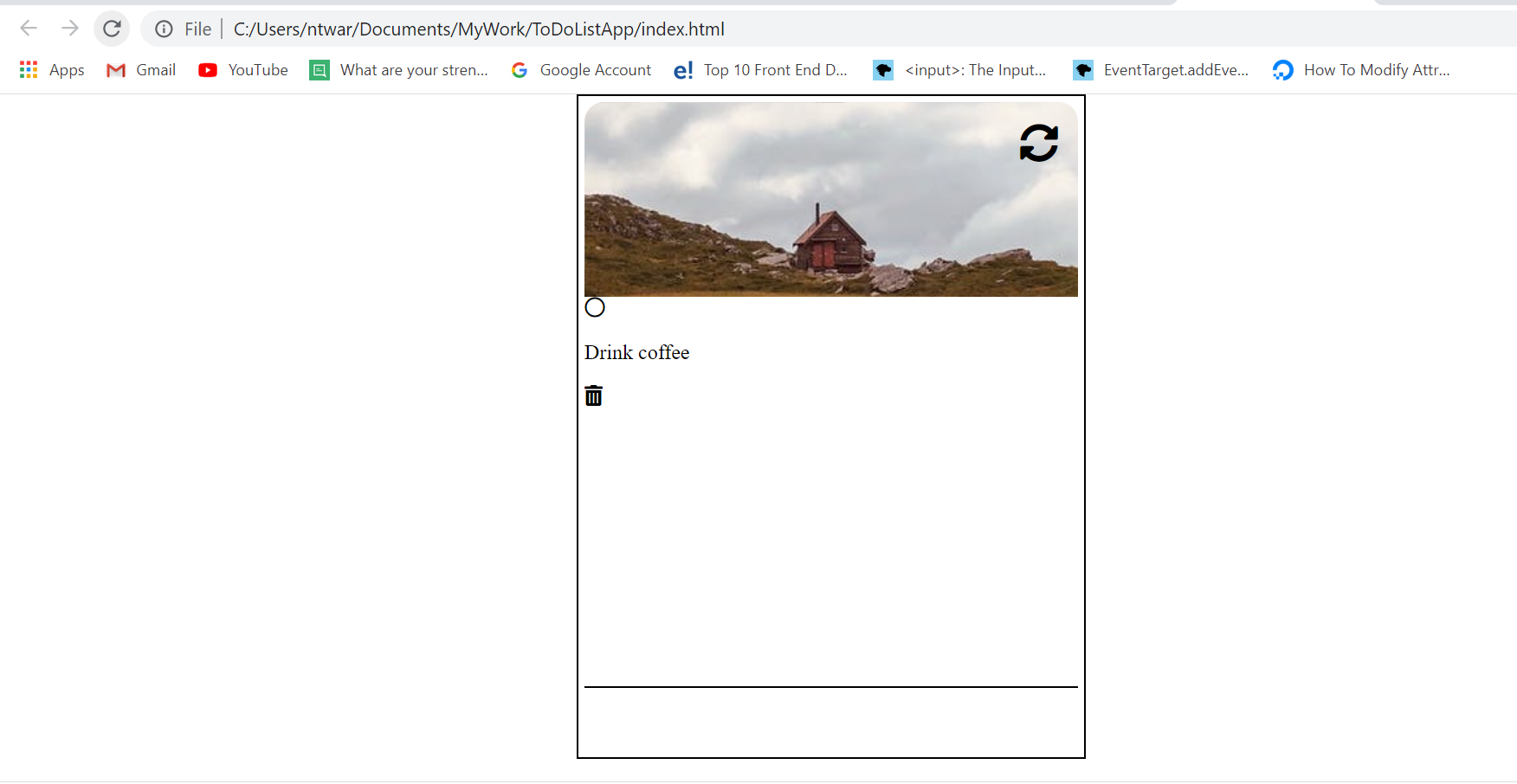
It is work in progress. Tomorrow , i hope to finish with the design and start with JavaScript so that the App can work properly.
I keep up with my english lessons on Udemy, it is really important to keep improving. And i do the same for typing lessons too.