 Jean Cédric NTWARI
I have come across some new methods that i have applied on my small project. JavaScript, addEventListener() and HTML DOM Methods.
I wanted to display todays date but not with the time, so i searched for an other way to do so. I found one on w3schools.com (https://www.w3schools.com/jsref/jsref_tolocaledatestring.asp), using a JavaScript method :ToLocaleDateString() ,which returns the Date object as a string, using options.
I learned also how to use insertAdjacentHTML() method. It helps to insert a HTML into a specified position. i used it to add a to-do on the list, and for more details here is a link on w3schools.com.
I tried to add a button (enter) to submit the value of an input, but the design was not looking good. That is how i started to look for an other way. I saw one by using a keyboard button by an adventlistener with key enter: .addEventListener("keyup",function(event){}) .For more details w3schools.com.
Javascript:
var clear = document.getElementById("clear");
var date  = document.getElementById("date");
var list = document.getElementById("list");
var input = document.getElementById("input");


var options = {weekday: "long", month:"short",day:"numeric"}
var today= new Date();

date.innerHTML = today.toLocaleDateString("de-CH",options);

function addToDo(toDo){

    list.insertAdjacentHTML("beforeend", `<li class="item">
                                 <i id="circle" class="far fa-circle"></i>
                                 <p class="text">${toDo}</p>
                                 <i id="delete" class="fas fa-trash-alt"></i>
                                   </li> <hr>`);

}
 // addToDo("Drink Cofee.");
//   addToDo("Drink Cofee.");

document.addEventListener("keyup", function(event){
    if(event.keyCode === 13){
        var toDo = input.value;

        if(toDo){
            addToDo(toDo)
        }
        input.value = "";
    }
})
Browser:
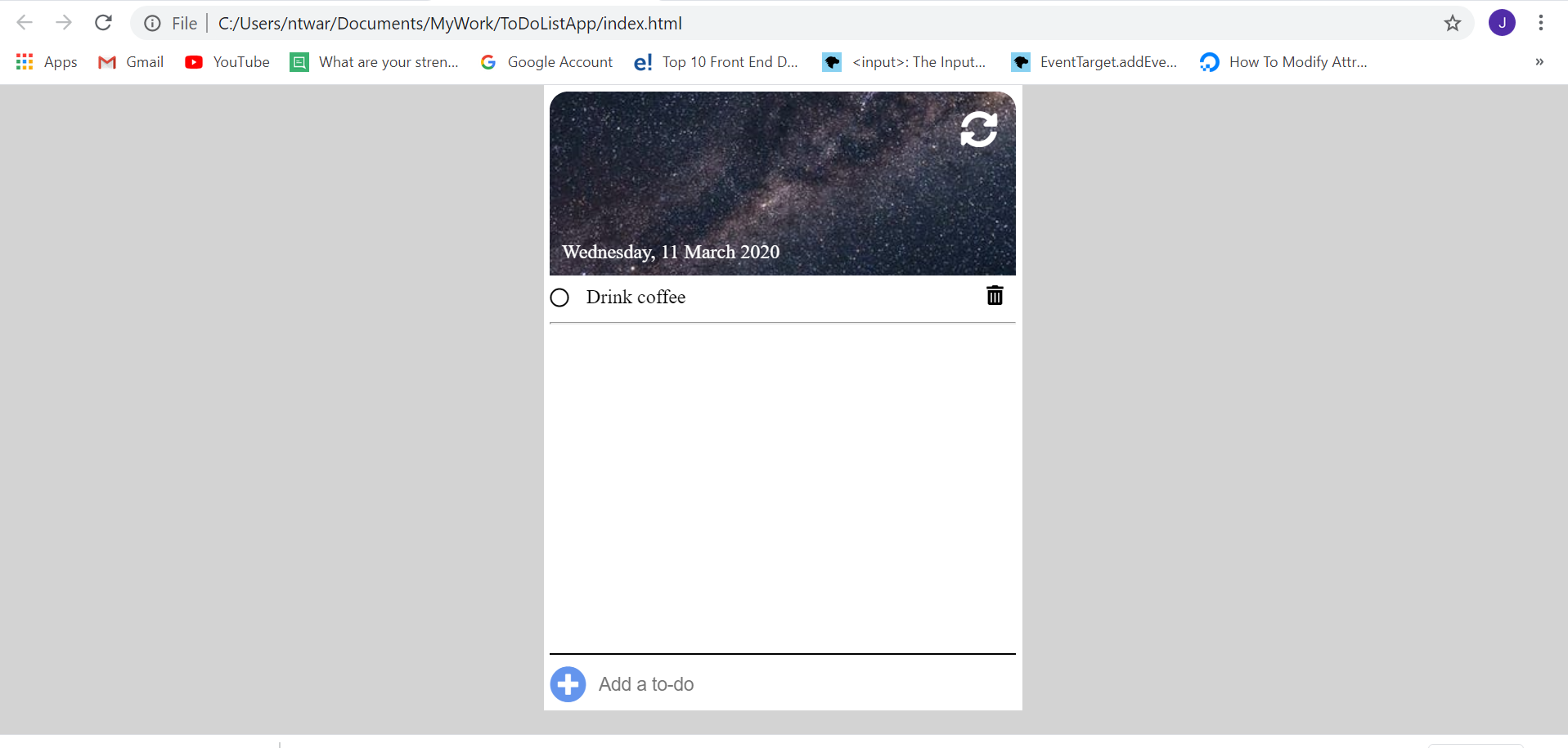
Now, i can type a to-do list press enter and the list will be displayed. Next step, it is to do delete and refresh button.
I do still follow everyday my english and typing lessons.